Module · Projects

Your projects move across columns, from lead to final walkthrough.

Every board shows a stage of your reality: the requests coming in, the quotes, production, the finished work. And every card is a project file that carries its whole history.

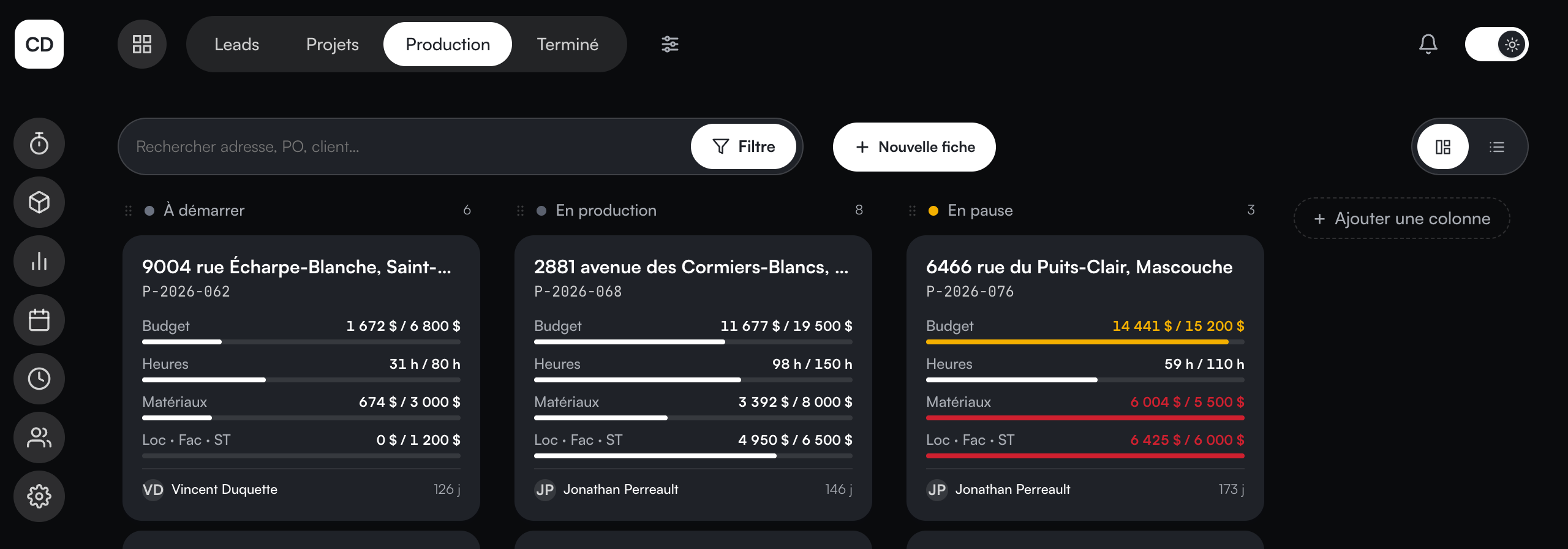
The Production board: projects in columns, with real cost and punched hours on every card.
Inside the module

Boards, files, and nothing lost between the two.

As many boards as you need

Leads, Projects, Production, Done... Add as many boards and columns as the way you work calls for, and view each one as cards or as a list.

The card you compose

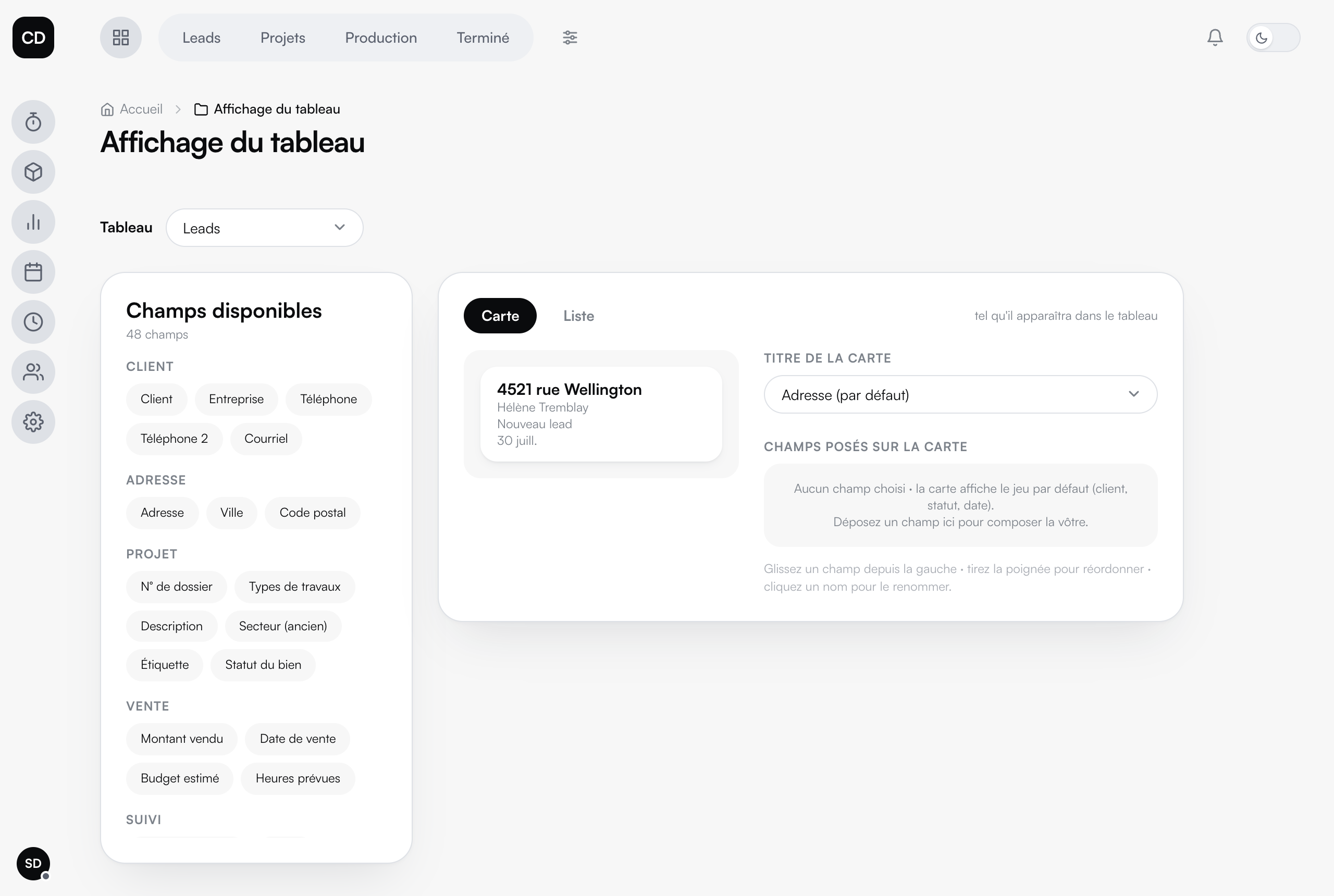
30 fields available: drag what matters onto the card (amount sold, project manager, label...), rename, reorder. Every board shows what speaks to YOU.

Live numbers

Real cost, punched hours, material pulled: the numbers live on the cards and in the file, as it happens.

The project file

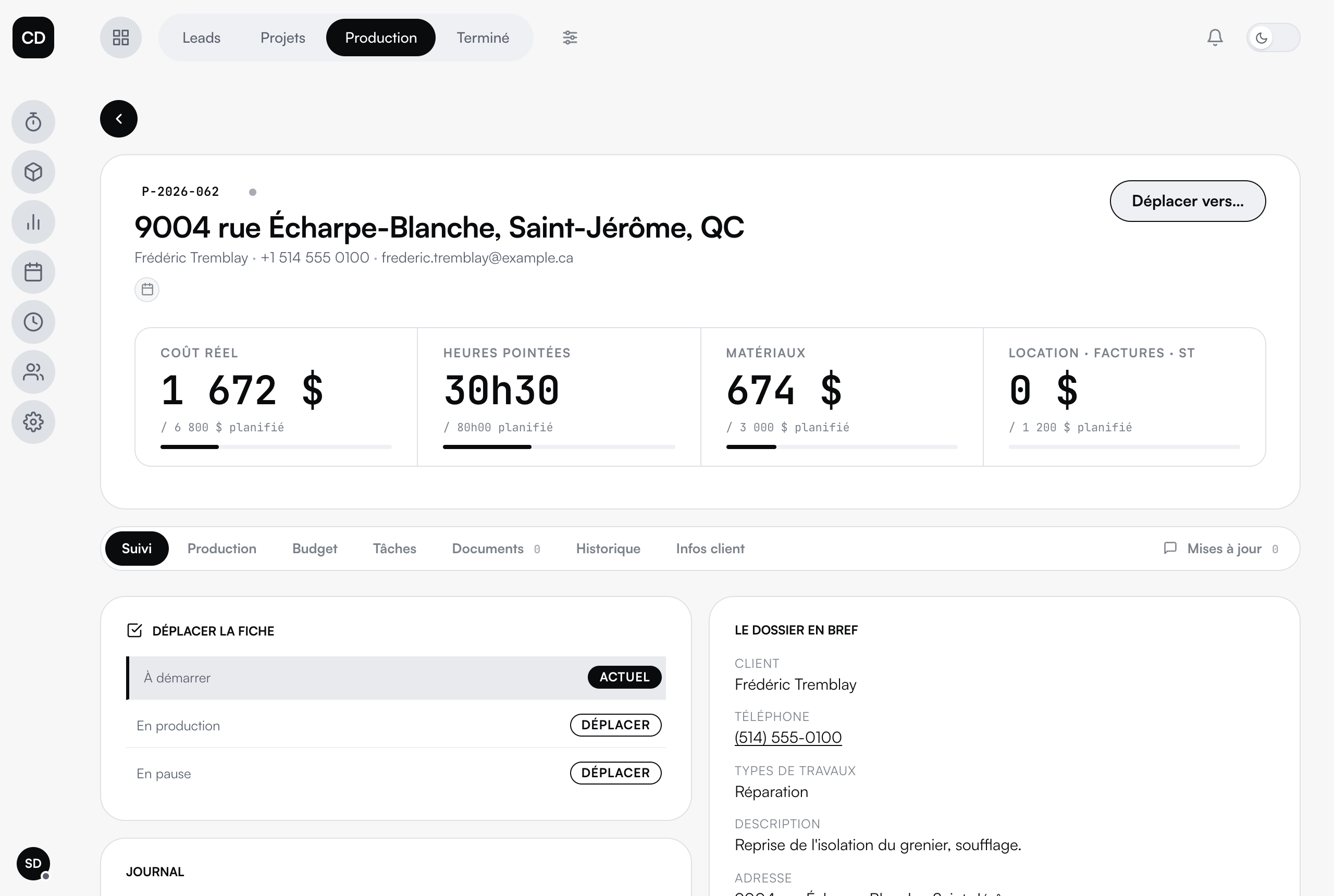
The client, the address, stage tracking, tasks, documents, history and the call log: one page per project, nothing scattered.

Creating a file

What gets asked when a new client file is created is set field by field: the questions, their order, their possible answers.

Permissions

Who sees and edits what, role by role. Your employee sees their work, not your margins.

The project file: client, stage tracking, call log.
The project file · the client, stage tracking, costs and the log, on one page.

Your way, right down to the card

The boards, the columns, the fields placed on each card: it all gets composed in the admin, without code. You drag, you rename, you reorder. And your team sees the board in YOUR words.
The board display editor: 30 fields to drag onto the card, with a preview.
The display editor · 30 fields to drag onto the card, the card or list preview, editable names.

Connected to the rest

Punched hours and material pulled land on the project file. The real cost is written while the board moves forward: not in a spreadsheet, after the fact.

The specialized tool

The workflow: tracking that moves on its own.

Above the boards lives a specialized tool: the workflow. We build your tracking stages with you, then it puts them to work: the file moves from stage to stage, and at each stage, emails can go out automatically to your client, written in your words, from your templates.

Configurable end to end

The stages, the boards they cross, the emails sent, who sees what: it all gets set in the admin, without a line of code.

See everything about the workflow →

The demo

Watch it run in the demo.

No account, no email to hand over. The data is fictional and stays in your browser: you cannot break anything.