Module · Punch

Hours get punched with one tap, and arrive already counted.

No punch cards, no Friday text messages. Your employee presses one button when they start and another when they finish, on their phone or at the computer: the rest happens on its own.

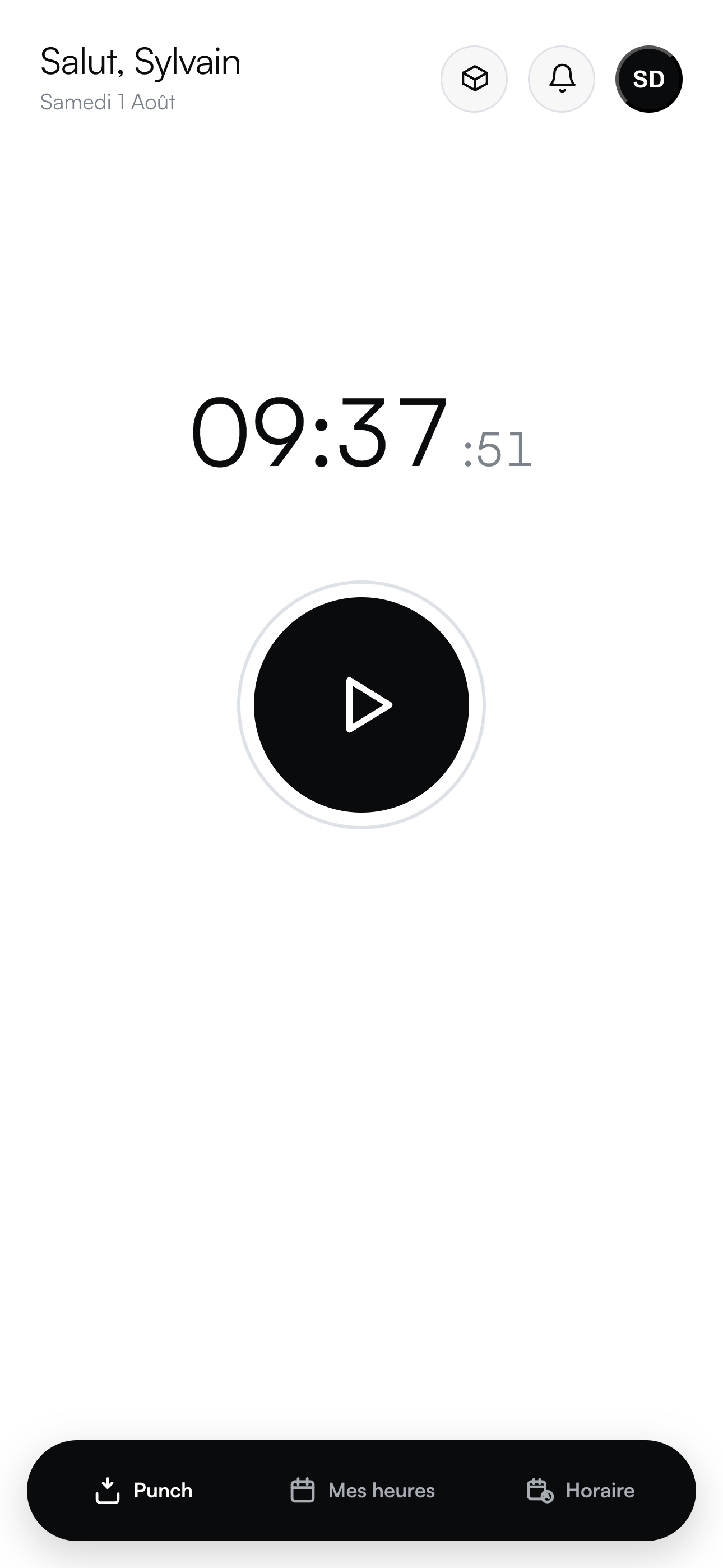
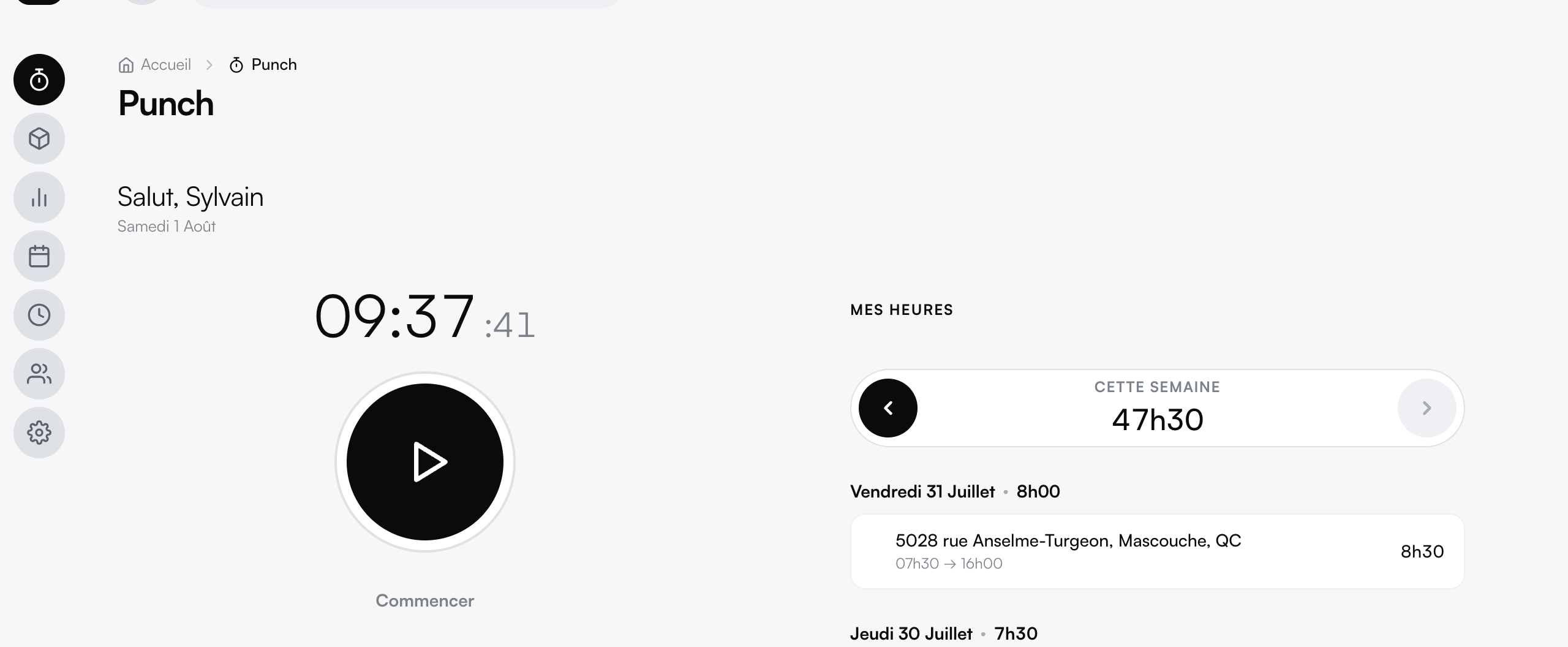
Punch on the computer: the clock and the week's hours. The Punch app on a phone: the large clock and the button to punch in.
Inside the module

From the punch button to payroll, with no retyping.

Punching from a phone

On your employee's phone, right where the work happens. And at the computer for the team in the office. One large clock, one button.

The timesheet

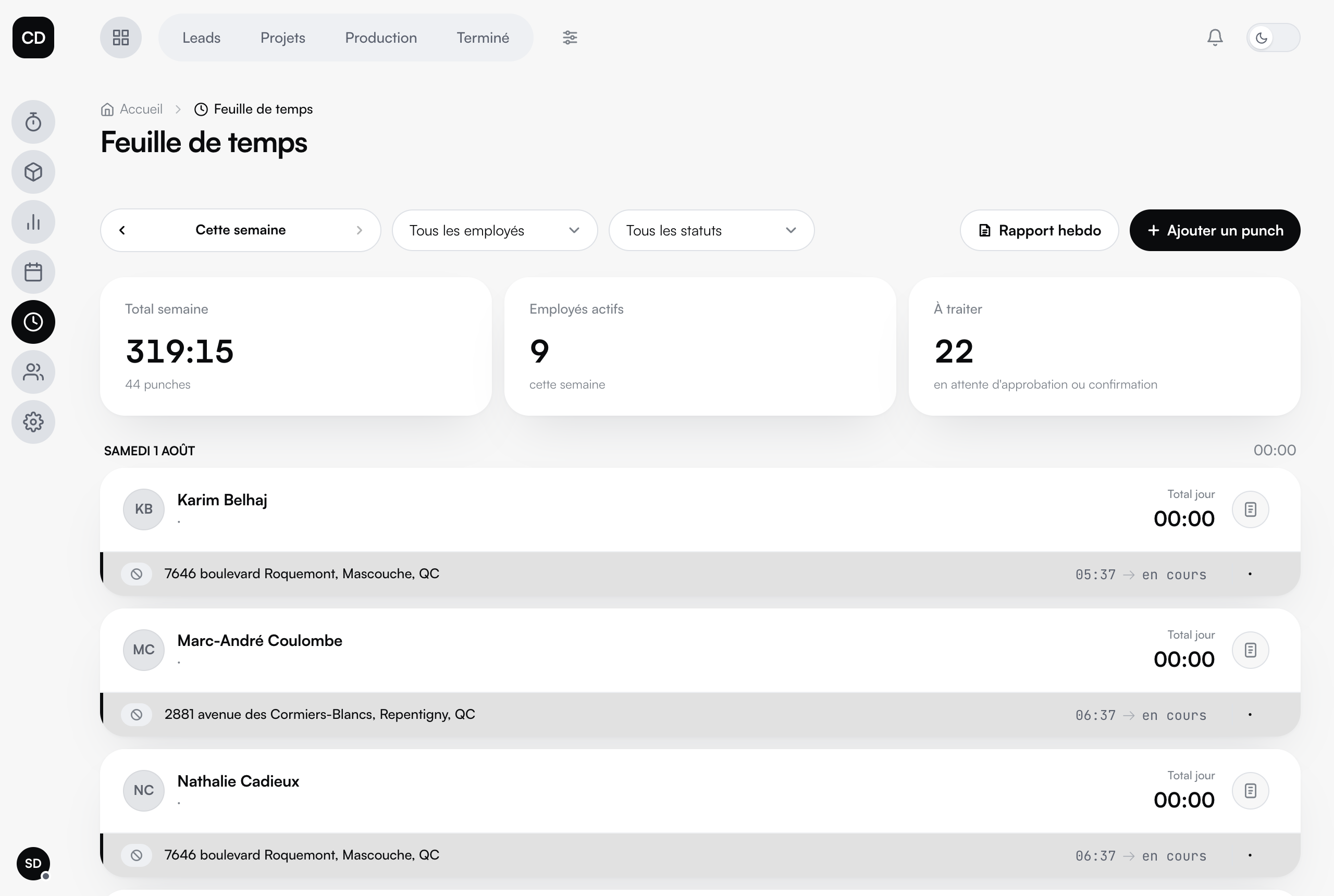
The whole team's week: totals, statuses, filters by employee, and the weekly report in one click.

Approvals

Every punch follows a clear path: in progress, to approve, approved, confirmed. Anything that looks wrong gets sent back, with a trace.

Hourly rates

One rate per employee or per position. Hours turn into dollars with no math by hand.

Your team

Roles, supervisors, and each person's access in the app: the team is managed in one place.

Connected to the files

Every punched hour lands on the right project and adds to its cost, in real time.
The timesheet: the team's week, totals and approval statuses.
The timesheet · the whole team's week, the totals and approvals.

Connected to the rest

Punch works on its own, or combined with inventory in the same mobile app: your employee punches their hours and pulls material in the same place.

The demo

Watch it run in the demo.

No account, no email to hand over. The data is fictional and stays in your browser: you cannot break anything.