Your stages, in your words
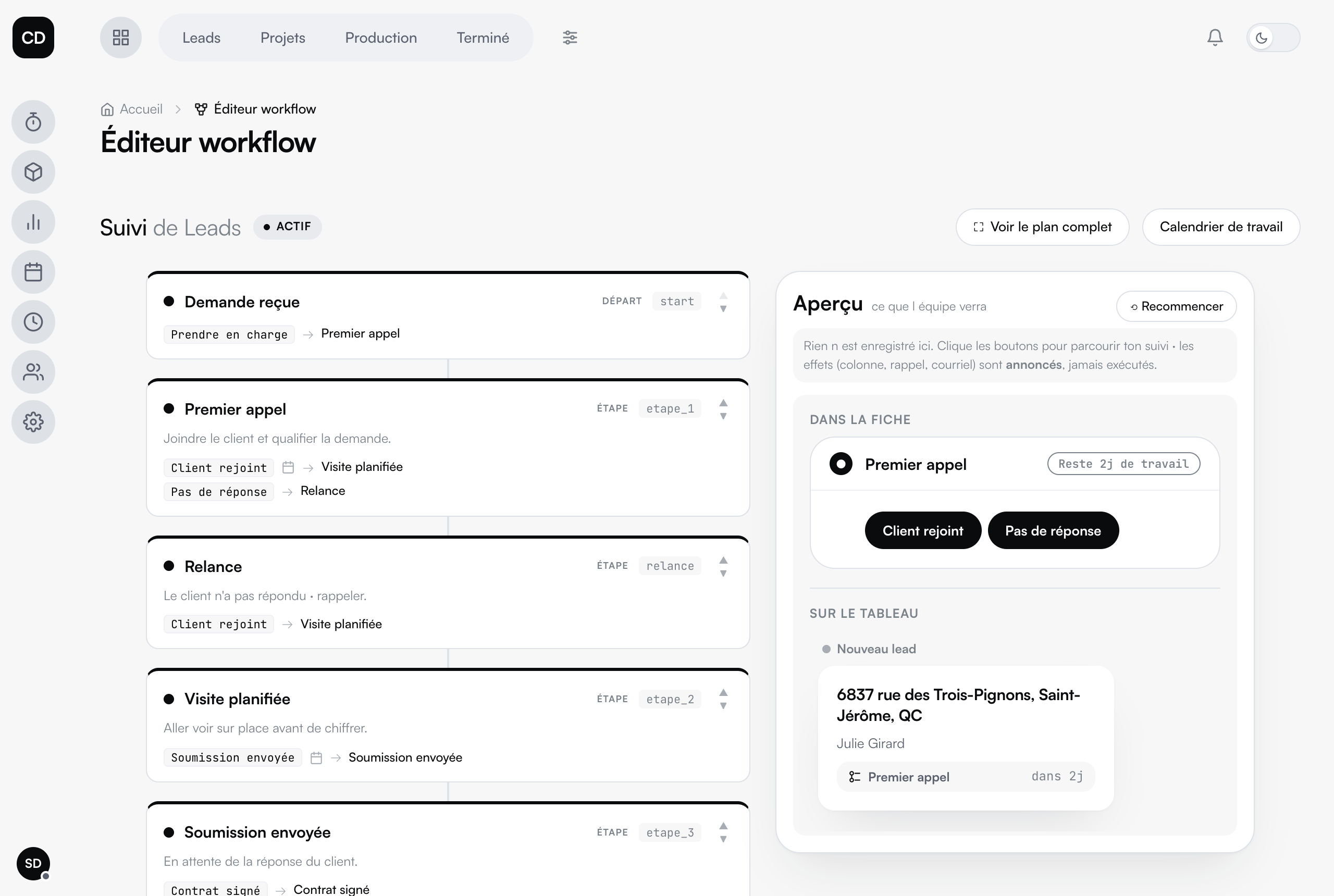
Request received, follow-up, visit scheduled, contract signed: every stage carries its own name, its description and its action button. It is your process, not a mould.
The branches
"Client reached" moves toward the visit, "No answer" goes to follow-up. The real path of a sale is not a straight line, and neither is the workflow.
Automatic emails
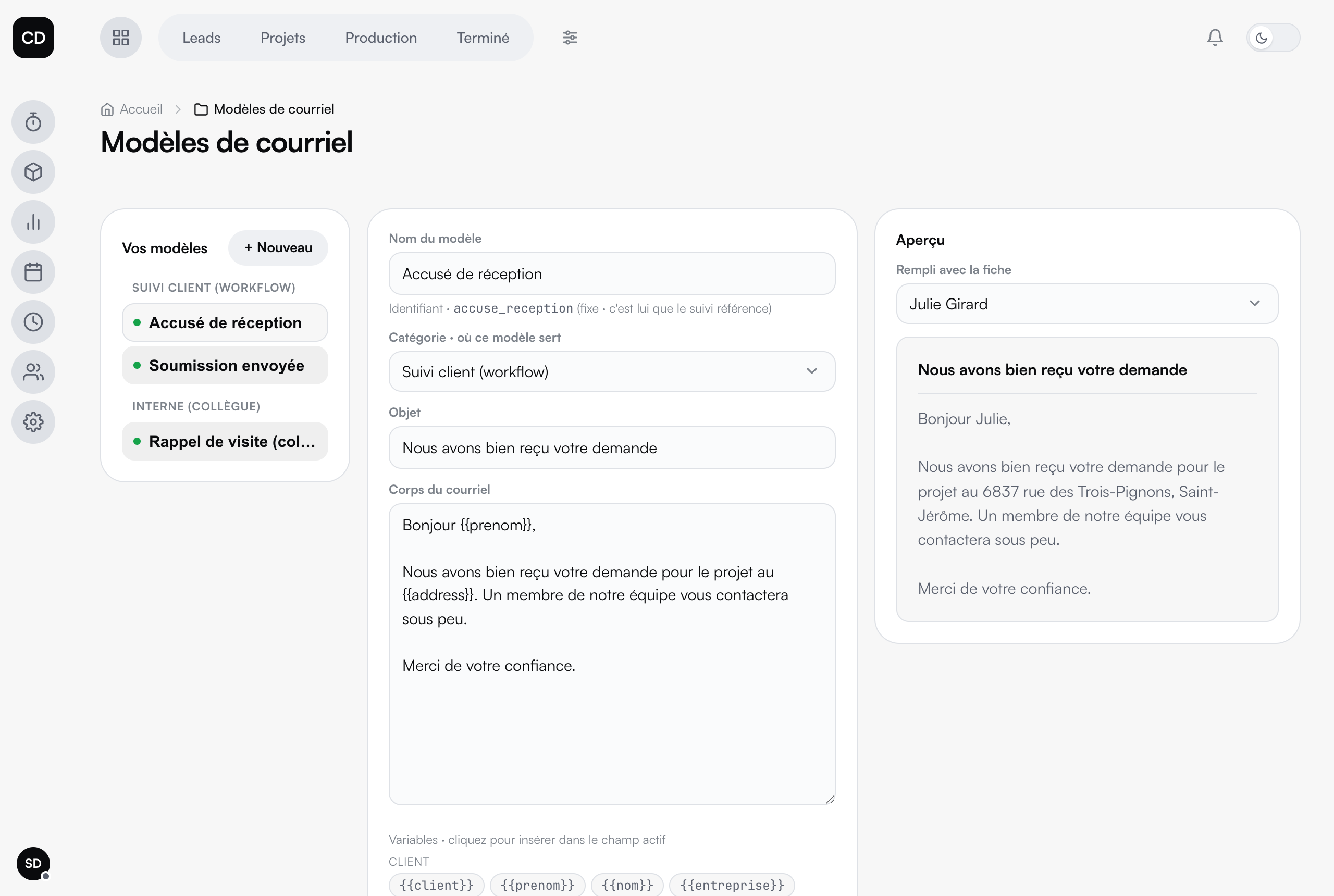
The acknowledgement, the quote sent: written once, delivered to the client the moment the file crosses the stage. Nobody has to remember.
Fields from the file
The client's first name, the project address, the amount sold: the email fills itself in with the real information from the file.
Preview before you switch it on
Every template previews filled in with a real file from your platform: you see exactly what the client will receive.
For your team too
Internal emails on top of the client ones: a visit reminder to a colleague, sent at the right moment, with no memo to write.
On its own, and deliberately so
The workflow is not one more module: it is a specialized tool that grafts onto the Projects module. We build it with you at setup, around the way you actually sell and deliver. Then it moves every file along the same way, no matter who is handling it.